
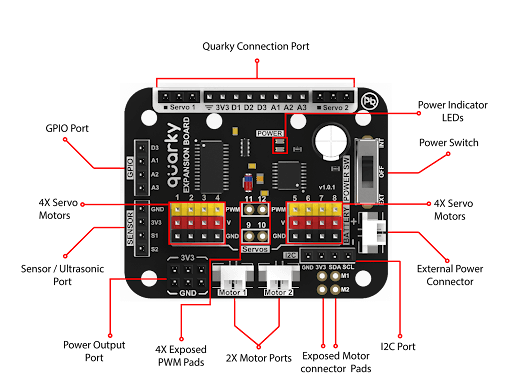
The Expansion Board does not come with a dedicated wooden mount, but the four corner holes of the Expansion Boards can be used to mount it to other wooden parts directly or with the help of angle pieces (to attach at a 90° angle).
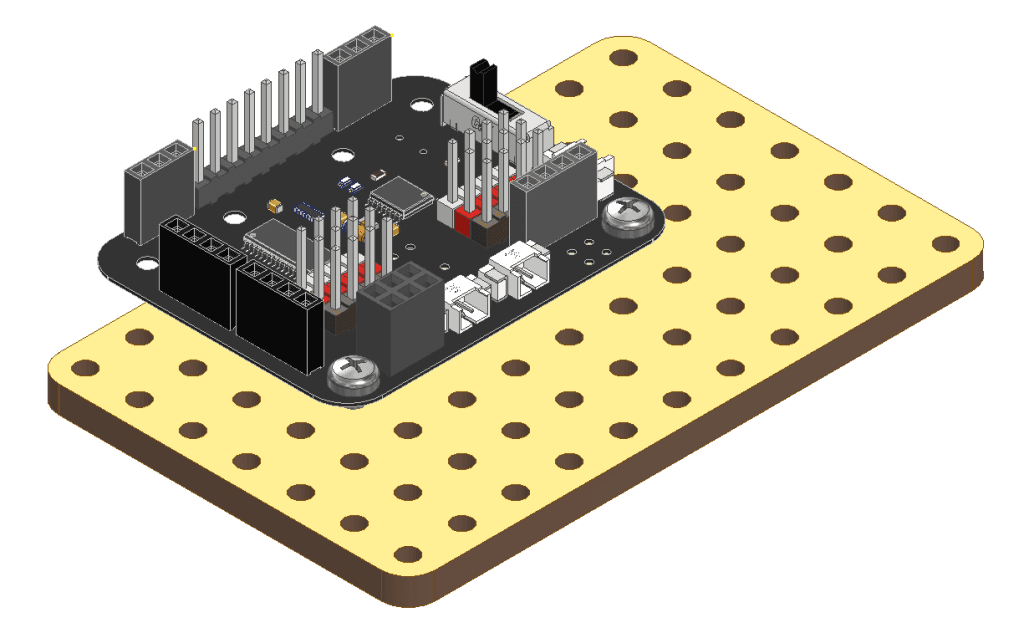
Parts Used
Assembly Steps
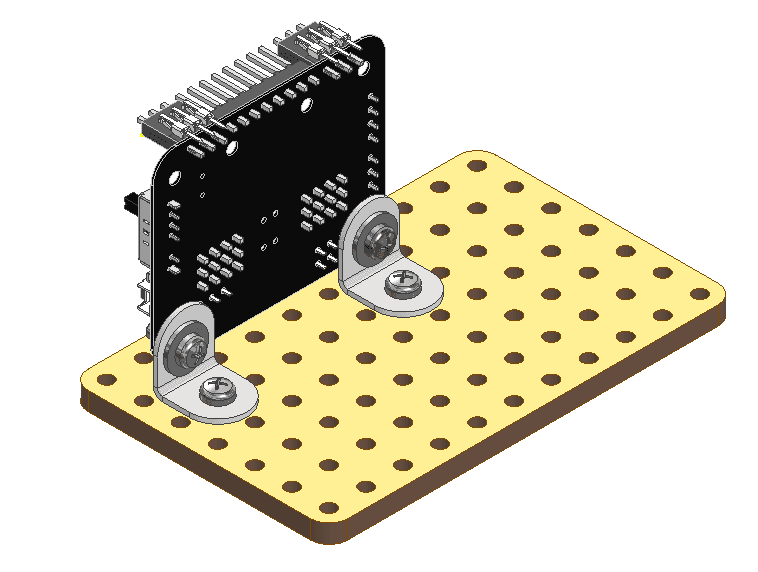
- The Expansion Board is compatible with the holes in wooden parts; it can be inserted directly or with angle pieces and washers.
- First, attach the Angle Pieces to the Expansion Board using M3 Bolt (8mm) and M3 Nuts. Ensure you use an M3 Washer between the M3 Bolt (8mm) and the elliptical part of the Angle Pieces.
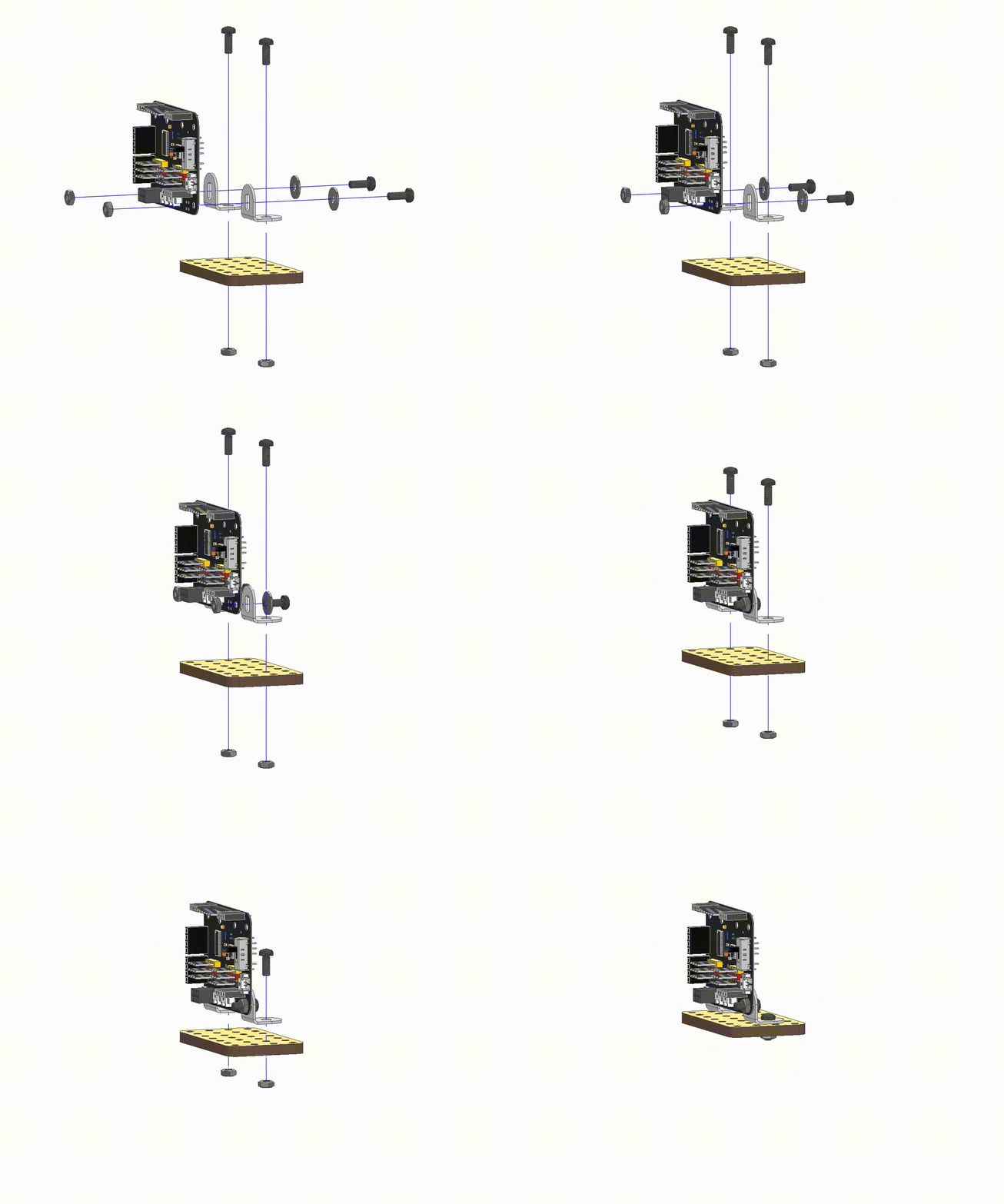
- Your Expansion Board is ready to be mounted at a 90° angle to any surface of the wooden parts.
- Below is the diagram illustrating the connection for the 8-pin and 3-pin connectors used to connect your Quarky to the Expansion Board.
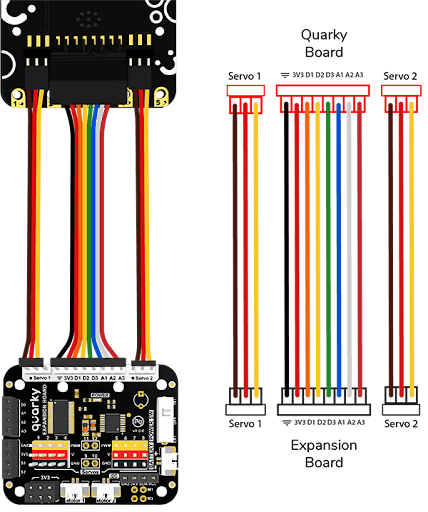
Note: Always use the 8-pin and 3-pin connectors to connect the Quarky Board to the Expansion board.
Open Resources
- Coding with Quarky Expansion board
.webp&w=3840&q=75)
.webp&w=3840&q=75)
.webp&w=3840&q=75)
.webp&w=3840&q=75)
.webp&w=3840&q=75)