
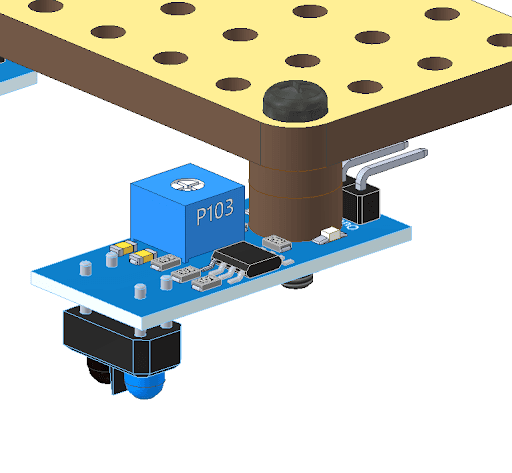
The IR sensor has a few components on its top surface that might come in the way of its assembly with your robot. To prevent this, use the ring spacers positioned above the mounting hole on the IR sensor. This will ensure there is enough space for connecting the jumper wires.
Parts Used
Assembly Diagrams
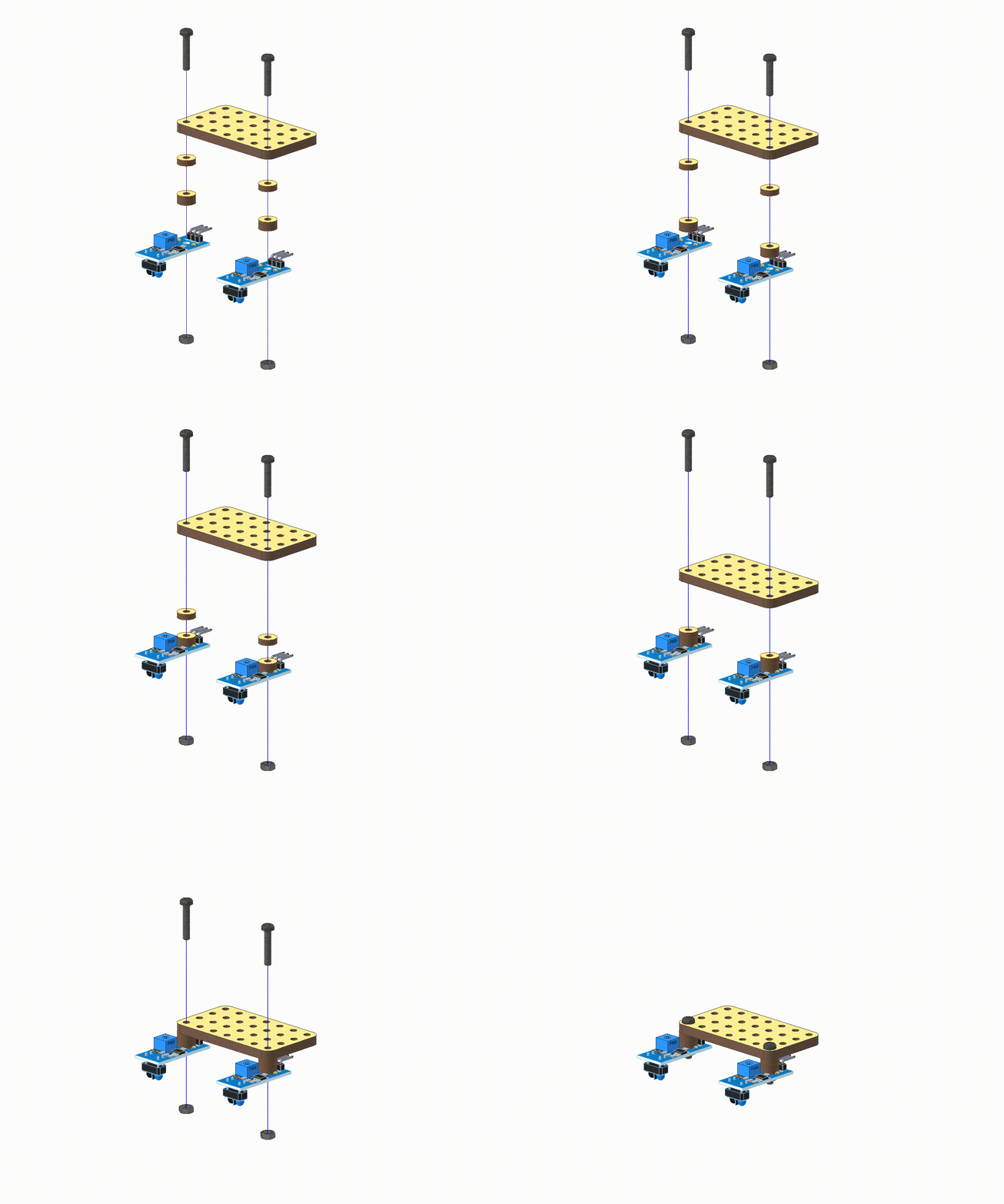
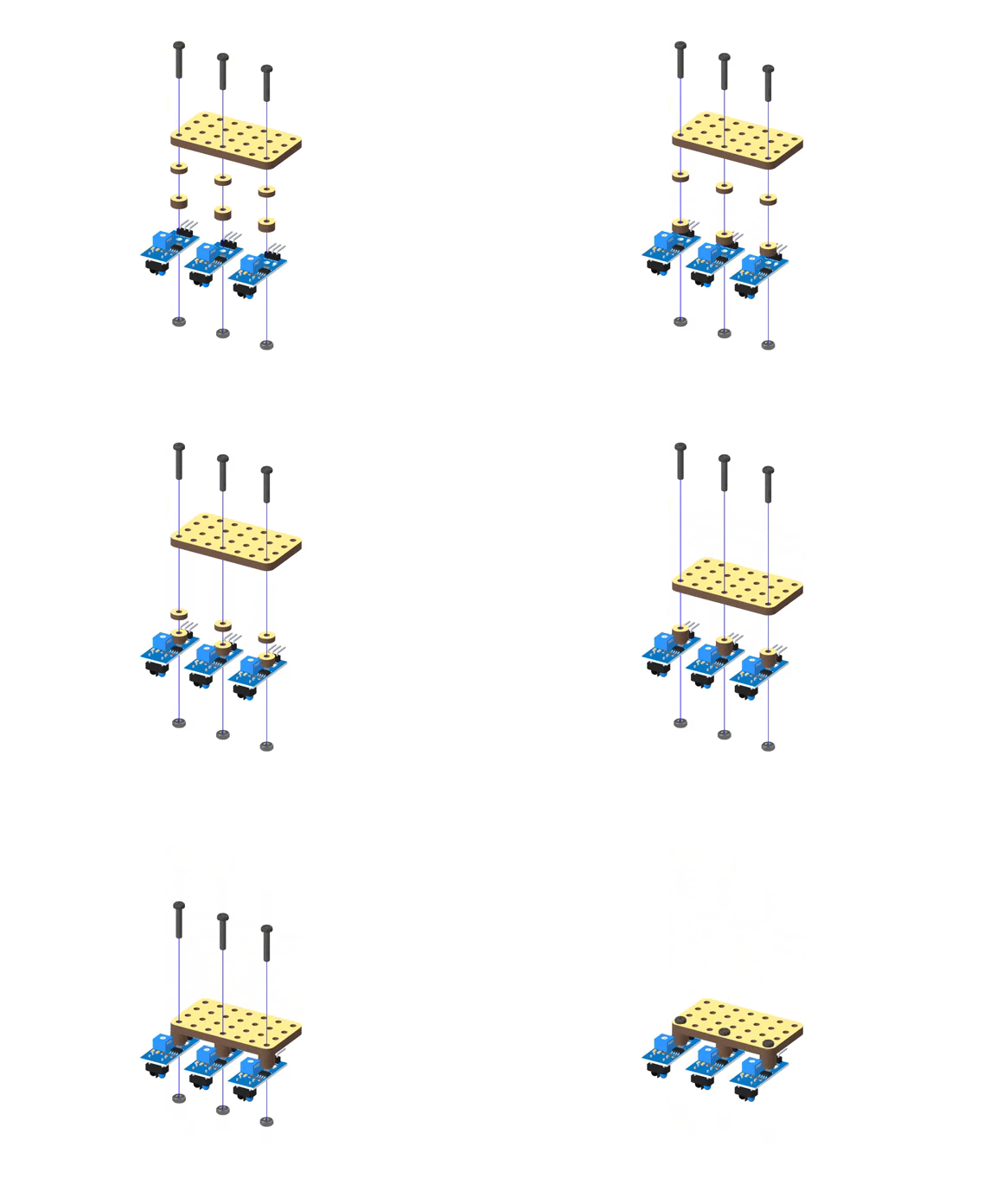
Assembly Steps
- Place and align two ring spacers on the mounting hole of the IR sensor.
- Align the above combination with the preferred place of your robot.
- Insert M3 Bolt (20mm) through all.
- Attach the M3 Nut and tighten it.
Placement of the IR Sensors
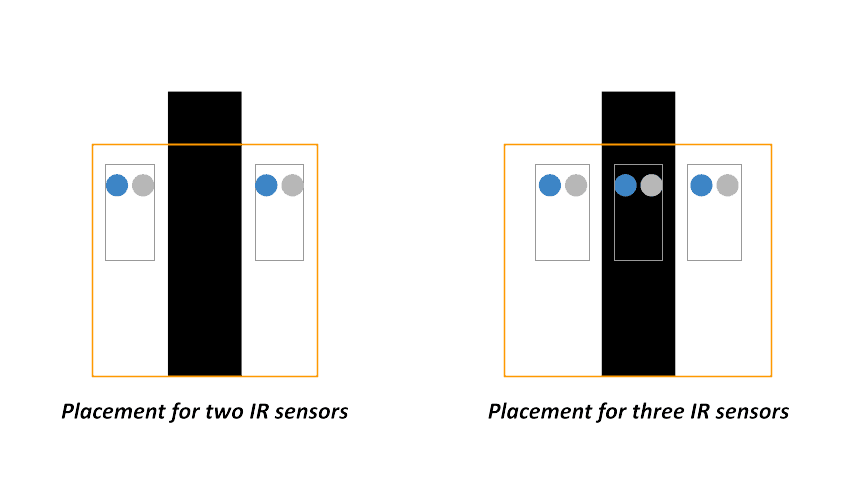
The distance between the two IR sensors should be greater than the thickness of the black line.
Open Resources
- Calibrating IR Sensor
- Basic Line Following using 2 IR sensors
- Advanced Line Following using 3 IR sensors
.webp&w=3840&q=75)
.webp&w=3840&q=75)
.webp&w=3840&q=75)
.webp&w=3840&q=75)
.webp&w=3840&q=75)